
SaaS-Zahlungen
Was ist Multi-Faktor-Authentifizierung (MFA)?
Was ist Multi-Faktor-Authentifizierung (MFA)?
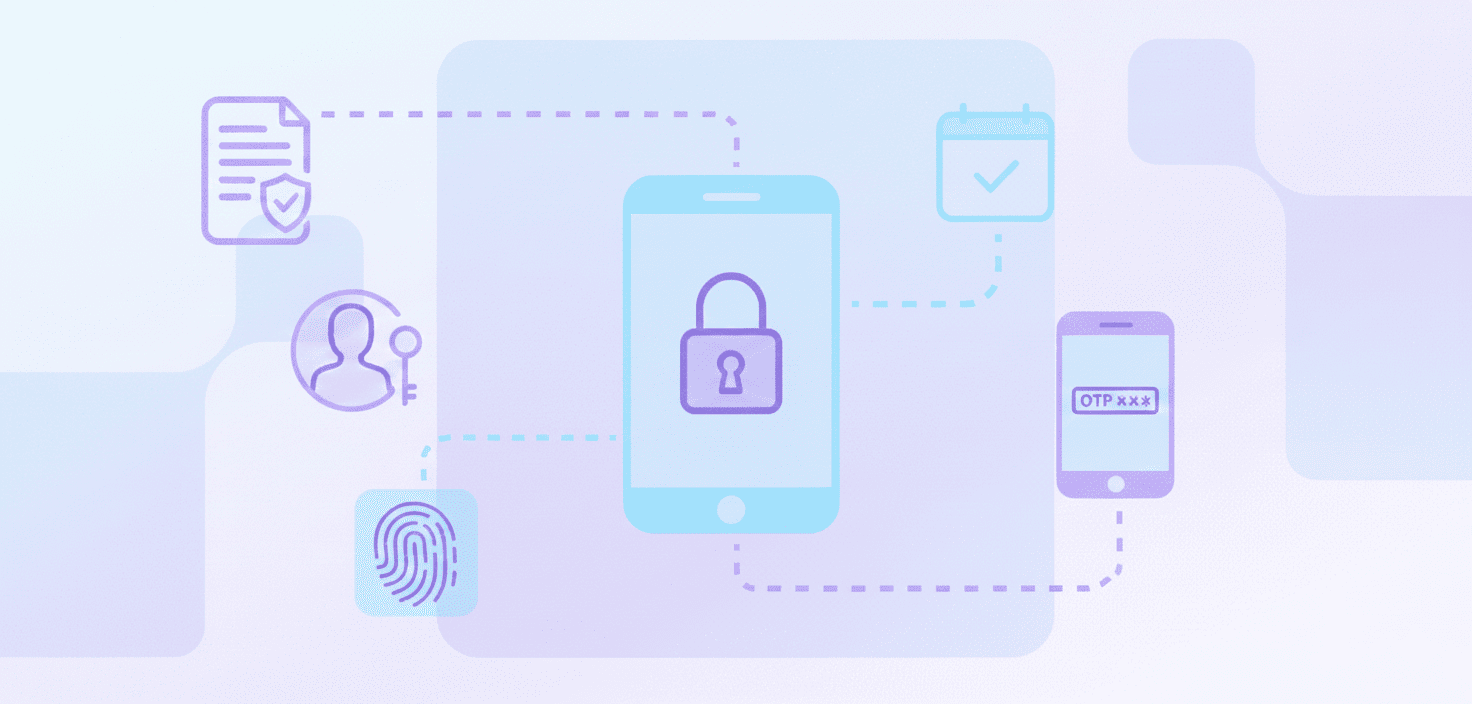
Die Multi-Faktor-Authentifizierung (MFA) ist ein Sicherheitsprozess, bei dem Benutzer verschiedene Authentifizierungsschritte durchlaufen müssen, um Zugang zu einem System oder einer Anwendung zu erhalten oder eine Transaktion abzuschließen.
Im Gegensatz zu anderen Verfahren zur Identitätsprüfung fügt die MFA eine zweite Sicherheitsebene hinzu, indem sie eine zusätzliche Information erfordert.
Dies erschwert natürlich den Zugang für Betrüger, selbst wenn sie das Passwort besitzen.
SaaS-Unternehmen sollten ernsthaft in Betracht ziehen, MFA zu implementieren, wenn sie mit sensiblen Informationen umgehen, da dies die Sicherheit und den Datenschutz erhöht.
Was sind die gängigen Faktoren, die bei der Multi-Faktor-Authentifizierung (MFA) verwendet werden?
MFA konzentriert sich bei der Identitätsprüfung auf spezifische Datenkategorien:
- Wissensfaktoren: Informationen, die der Benutzer kennt, wie ein Passwort oder eine PIN.
- Besitzfaktoren: Gegenstände, die der Benutzer besitzt, wie ein Smartphone, Hardware-Token oder eine Authentifikator-App.
- Inhärenzfaktoren: Biometrische Merkmale, einschließlich Fingerabdrücke, Gesichtserkennung oder Stimmprofile.
- Standort- oder Kontextfaktoren: Signale wie geografischer Standort, IP-Adresse oder Netzwerkreputation.
Die Kombination von Faktoren im Verifizierungsprozess erhöht die Sicherheit.
Welche Vorteile bietet die Nutzung der Multi-Faktor-Authentifizierung (MFA)?
MFA bietet folgende Vorteile:
- Stärkerer Kontoschutz: Kompromittierte Passwörter allein reichen für den Zugriff nicht aus.
- Reduziertes Angriffsrisiko: Microsoft berichtet, dass MFA über 99 % der Angriffe zur Kontokompromittierung blockieren kann.
- Verbesserte Zugangskontrolle: MFA gewährleistet eine konsistente, richtliniengesteuerte Authentifizierung für Benutzer und Systeme.
- Geringere Geschäftsauswirkungen: Verhindert finanzielle Verluste, Ausfallzeiten und Reputationsschäden, die durch Sicherheitsverletzungen verursacht werden.
- Reduzierte Passwortabhängigkeit: Begrenzt die Anfälligkeit für Passwortwiederverwendung und Credential-Stuffing-Angriffe.
Obwohl MFA geringfügige Reibungsverluste und Implementierungskosten verursachen kann, werden diese Kompromisse im Allgemeinen durch die Sicherheitsvorteile für die meisten Organisationen aufgewogen.
Warum sind starke Passwörter selbst bei der Verwendung von MFA immer noch wichtig?
Passwörter sind immer noch der erste Authentifizierungsschritt in vielen MFA-Workflows. Schwache oder wiederverwendete Passwörter erhöhen das Risiko, gehackt zu werden, und das Risiko von Social-Engineering-Angriffen, insbesondere bei MFA-Müdigkeit (MFA-Fatigue), bei der Benutzer von Cyberkriminellen unter Druck gesetzt werden, Anmeldeanfragen zu genehmigen.
Ein starkes, einzigartiges Passwort reduziert von vornherein das Risiko, kompromittiert zu werden, und stärkt die Wirksamkeit der MFA.
Die Verwendung eines Passwort-Managers kann dazu beitragen, Best Practices durchzusetzen, ohne den Benutzer übermäßig zu belasten.
Wie funktioniert MFA für den Unternehmenszugriff?
Im Unternehmensumfeld funktioniert MFA so:
- Der Benutzer gibt seinen Benutzernamen und sein Passwort ein.
- Das System berücksichtigt den Kontext in Bezug auf Gerät, Standort und Verhalten.
- Der Benutzer wird aufgefordert, einen zweiten Authentifizierungsfaktor bereitzustellen, wie einen Code aus einer Authenticator-App, einen biometrischen Scan oder einen Hardware-Token.
- Der Zugriff wird nur nach erfolgreicher Verifizierung gewährt.
SaaS-Organisationen müssen auch darüber nachdenken, eine zusätzliche Authentifizierungsmethode zu der Liste hinzuzufügen, falls das primäre Gerät kompromittiert wird oder anderweitig nicht verfügbar ist.
Wie erkennt die Multi-Faktor-Authentifizierung (MFA) neue Geräte, die versuchen, auf ein System zuzugreifen?
MFA-Systeme nutzen oft verschiedene Methoden zur Identifizierung neuer oder unbekannter Geräte, darunter:
- Geräte-Fingerprinting
- IP-Analyse
- Standortverlauf
- Aktivitätsüberwachung.
Gerade diese Methoden schlagen Alarm, wenn ein neuer Standort oder ein ungewöhnliches Gerät für den Anmeldeversuch verwendet wird. Solche Praktiken sind nützlich für Remote- und Cloud-Anwendungen, bei denen eine hohe Gerätevielfalt besteht.
Wie passt sich die Multi-Faktor-Authentifizierung (MFA) an ungewöhnliche Anmeldeversuche an?
Adaptive MFA hängt von Risikobewertungen ab, um höhere oder niedrigere Authentifizierungs- Stufen festzulegen. Es gibt viele Signale, die höhere Überprüfungsstufen auslösen können, wie zum Beispiel:
- ungewöhnliche Standorte
- unmögliche Bewegungen
- ungewöhnliches Verhalten oder Netzwerke
- verdächtige Netzwerke.
Situationen mit geringem Risiko können mit minimaler Reibung fortgesetzt werden, während Situationen mit hohem Risiko mehr Faktoren erfordern oder blockiert werden. Diese Vorgehensweise bietet bessere Sicherheit und eliminiert unnötige MFA-Anfragen für normale Benutzer.
Gibt es verschiedene Sicherheitsstufen innerhalb der Multi-Faktor-Authentifizierung (MFA)?
Ja. Die Stärke der MFA hängt von den verwendeten Kriterien ab.
- SMS-basierte Codes bieten das niedrigste Schutzniveau und sind anfällig für SIM-Swapping.
- Authenticator-Apps und Hardware Token bieten ein höheres Maß an Sicherheit
- biometrische Faktoren (eingesetzt von 3D Secure) bieten das höchste Maß an Sicherheit, solange sie ordnungsgemäß implementiert sind.
SaaS-Organisationen sollten die Stärke der MFA entsprechend der Sensibilität der Daten oder des geschützten Systems berücksichtigen und dabei die Sicherheitsanforderungen mit der Benutzerfreundlichkeit in Einklang bringen.
Schlussfolgerung
Die Multi-Faktor-Authentifizierung (MFA) ist eine sehr wichtige Sicherheitsmaßnahme, die das Niveau des Kontoschutzes durch die Anforderung zusätzlicher Verifizierungsfaktoren erhöht. Durch die Implementierung von MFA und die ständige Information über ihre verschiedenen Sicherheitsstufen können Sie sich und Ihre SaaS-Organisation befähigen, die digitale Landschaft sicherer und zuversichtlicher zu navigieren und so das Risiko von unbefugtem Zugriff und Datenlecks zu minimieren.
Bereit anzufangen?

 Deutsch
  English
  Español
  Português
  Português do Brasil
  Français
  Italiano
  Nederlands
  Polski
  Română
  Українська
  简体中文
简体中文  日本語
日本語  한국어
한국어